
Minecraft Pixel Art Maker
Pixel art is one of the first big builds most players try, and the hardest part is choosing blocks. This Minecraft pixel art maker does that for you: drop a picture, pick a size, and get a block-by-block plan with a material list and a schematic for Litematica or WorldEdit.
Drop a picture here
PNG, JPG, WebP or GIF up to 20 MB
Processed in your browser, never uploaded.
Blocks to use

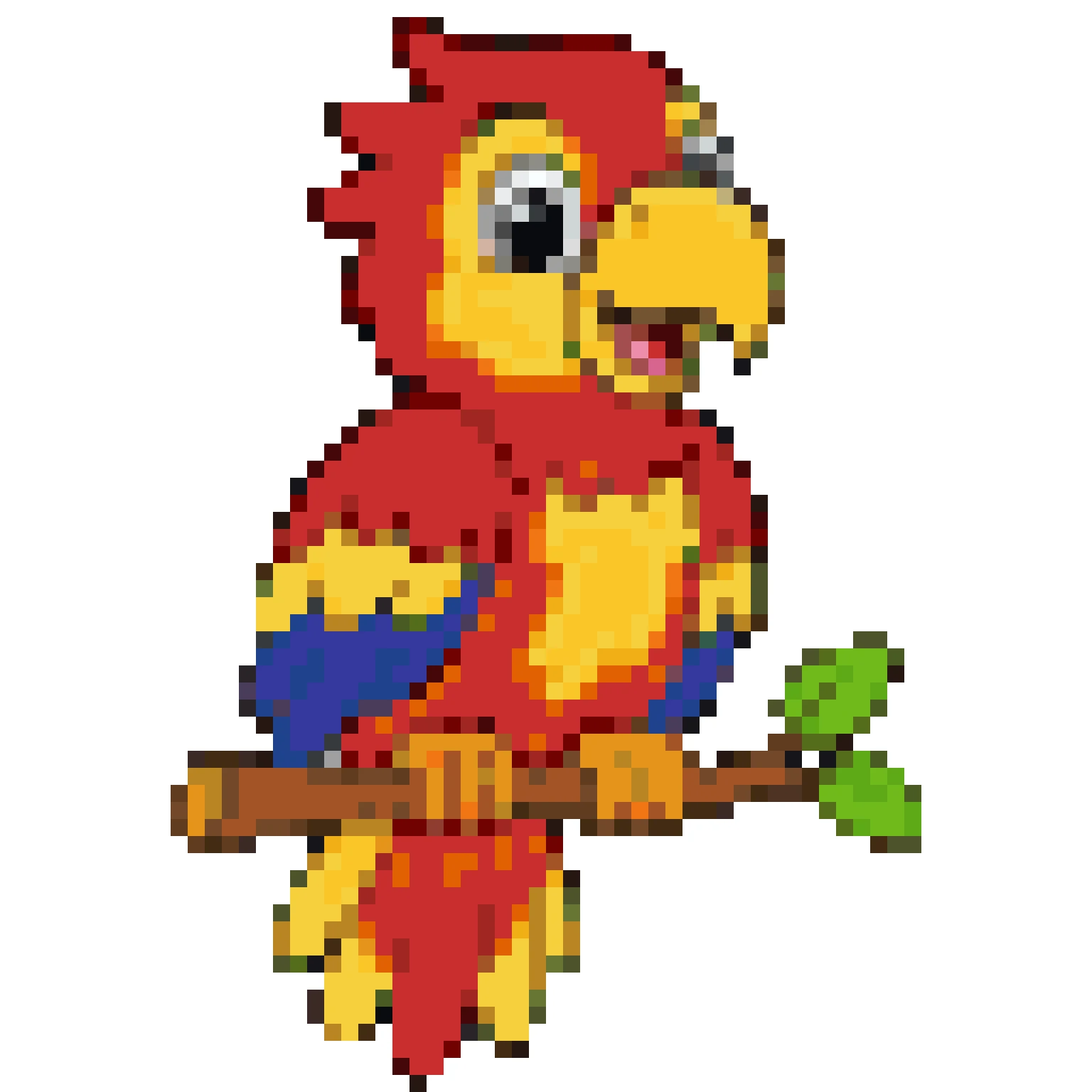
Made with this tool: 64 blocks wide, standing wall, all block groups, dithering off. The white background was removed before uploading so it stays empty instead of turning into white blocks.
What is a Minecraft pixel art maker?
Every block shows one colour from far away. A pixel art maker scales your picture down so each pixel becomes one block, then picks the block whose colour is closest, measured the way people see colour rather than by raw numbers. The result reads as your picture when you stand back, fly up or look from a hill.
A Minecraft pixel art generator for walls and floors
Choose Standing wall for art you look at from the side, like a portrait on a castle wall, or Flat on the ground for art you see from above, like a logo in your spawn. The same picture can be saved both ways.
Image to Minecraft pixel art maker with real block colours
Colours come from averages of each block’s texture, covering concrete, wool, terracotta and a set of natural blocks such as planks, stone and copper. Only full, solid blocks are used, so nothing falls or glows. For maps rather than walls, use the Minecraft map art generator.
Minecraft pixel art generator flat or upright
Flat art is the easiest to build in survival because you never leave the ground. Upright art needs scaffolding but can be seen from far away. Both download in every schematic format.
Why use our Minecraft pixel art maker?
It gives you a plan you can actually build, with counts, rather than just a picture of blocks.
A Minecraft pixel art blueprint maker
Instead of copying colours by eye, download a .litematic and let Litematica show each block in place. The 3D view, layers and material list work like the Minecraft schematic viewer.
Minecraft pixel art generator for Bedrock
Bedrock players can save the art as .mcstructure and load it with a structure block. All palette blocks exist in both editions, so nothing goes missing.
Size and blocks under your control
The width slider runs from 16 to 256 blocks and the height follows your picture. Turn block groups on or off to match what you have in storage, and toggle dithering for smoother photos.
How to Use It in 3 Steps
Upload a picture
PNG, JPG, WebP or GIF. Transparent areas stay empty, which is perfect for sprites and logos with no background.
Set size, direction and blocks
Pick a width, wall or floor, and which block groups to use. The preview updates as you change settings.
Download the plan
Choose .litematic for survival building or .schem to paste with WorldEdit, and keep the material list for gathering. More options are on image to schematic.
Tips for great pixel art builds
A few choices before you start make a big difference to the final build.
Pick the right picture
Characters, game sprites, flags and logos with strong outlines turn out best. Crop tightly around the subject and boost contrast before uploading; small details below a block in size disappear.
Choose a size you can finish
A 64 block wide wall is a weekend project; 128 wide needs tens of thousands of blocks. Check the material list first and start smaller if the numbers look scary.
View it from the right distance
Pixel art reads best from about one and a half times its width away. Leave room in front of a wall, or build floor art below a viewing platform.
Minecraft Pixel Art Maker FAQ
How do I make pixel art on a Minecraft map?
Map pixel art needs map colours and shading rather than block textures. Use the Minecraft map art generator, which plans the blocks for a 128 by 128 map.
How do I convert a picture to Minecraft pixel art?
Upload it to the Minecraft pixel art maker on this page, choose a width and whether it stands up or lies flat, then download the schematic. The tool picks the closest block for every pixel.
Is the Minecraft pixel art maker free?
Yes. Making pixel art, previews and downloads are free, with no account and no watermark.
Does it work for Minecraft Bedrock and Pocket Edition?
Yes. Download a .mcstructure and load it with a structure block, or build it by hand from the material list and preview on any device.
Can I make flat pixel art instead of a wall?
Yes, choose Flat on the ground. The picture lies on one layer with its top towards north.
Can it give me commands instead of a schematic?
No. The maker outputs schematic files and a material list. In creative, pasting the schematic with WorldEdit is faster than any command chain.
Can I use carpets?
Not as a separate option. Carpets have the same colours as wool, so you can build the wool parts with carpet on a flat floor if you prefer.
What is the largest Minecraft pixel art?
Community builds reach thousands of blocks across, usually split into sections. Here one picture can be up to 256 blocks wide; build bigger art as several pieces.
What size should my pixel art be?
32 to 64 blocks wide is a good start for survival. Larger art keeps more detail but the block count grows with the square of the width.
Why does my pixel art look grainy?
That is dithering mixing blocks to fake in-between colours. Turn it off for flat cartoons and logos, keep it on for photos.
Can I make 3D pixel art from a picture?
This tool makes flat art. For a 3D statue, describe the subject to the AI builder, which builds statues and characters in three dimensions.
Is my picture uploaded?
No. It is processed entirely in your browser.
How do I build tall pixel art in survival?
Build from the bottom row up with scaffolding next to the wall, or lay it out flat first to check the pattern. With Easy Place in Litematica you can stand on scaffolding and click the hologram to place the right block.
Can I use my own Minecraft skin as pixel art?
Yes. Upload a front view of the skin or a screenshot of your character. Skins are small, so set the width to 16 or 32 blocks to keep each pixel as one block.
Can I use stained glass for see-through parts?
Glass is not in the palette because it shows what is behind it. Transparent pixels in your picture already become empty space, which works well for windows and outlines.
More free tools